
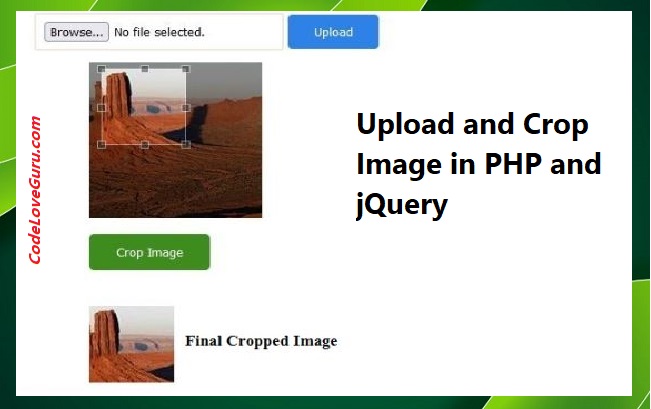
Upload and Crop Image in PHP and jQuery: First create a new php file crop.php and add bellow codes – (PHP और jQuery में इमेज अपलोड और क्रॉप करें: सबसे पहले एक नई php फ़ाइल crop.php बनाएँ और नीचे दिए गए कोड जोड़ें)
Step : 1 – Create PHP file –
<?php
// create filder "uploads"
if (! empty($_POST["uploadButton"])) {
    if (is_uploaded_file($_FILES['userInputImage']['tmp_name'])) {
        $targetPath = "uploads/" . $_FILES['userInputImage']['name'];
        if (move_uploaded_file($_FILES['userInputImage']['tmp_name'], $targetPath)) {
            $imageUploadedPath = $targetPath;
        }
    }
}
?>
Step : 2 – Create button in HTML & add bellow codes in crop.php File (HTML में बटन बनाएं और crop.php फ़ाइल में नीचे दिए गए कोड जोड़ें)
<div align="left">
    <form id="imageUploadForm" action="" method="post" enctype="multipart/form-data">
        <div>
            <input name="userInputImage" id="userInputImage" type="file" class="inputFileCls">
			      <input type="submit" name="uploadButton" value="Upload" class="btnUpload">
        </div>
    </form>
</div>
<div><img src="<?php echo $uploadimagepath; ?>" id="positioncropbox" class="img" /><br /></div>
<div id="btn"><input type="button" id="cropBtn" value="Crop Image"></div>
<div><img src="#" id="position_cropped_img" style="display: none;"></div>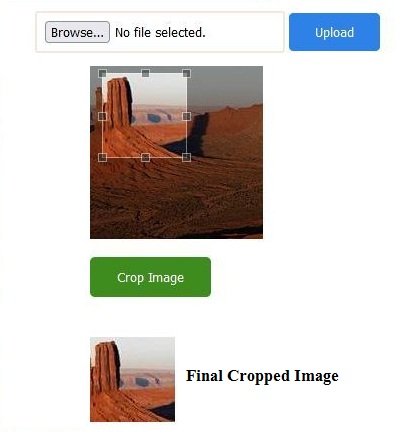
Step : 3 – Add bellow codes in header section of crop.php File (crop.php फ़ाइल के हेडर अनुभाग में नीचे दिए गए कोड जोड़ें) –
<!-- Add jquery.min.js and jquery.Jcrop.min.js library files  -->
<script src="jquery.min.js"></script>
<script src="https://ajax.googleapis.com/ajax/libs/jquery/3.5.1/jquery.min.js"></script>
<script src="jquery.Jcrop.min.js"></script>
<script src="https://cdnjs.cloudflare.com/ajax/libs/jquery-jcrop/0.9.15/js/jquery.Jcrop.min.js" integrity="sha512-KKpgpD20ujD3yJ5gIJqfesYNuisuxguvTMcIrSnqGQP767QNHjEP+2s1WONIQ7j6zkdzGD4zgBHUwYmro5vMAw==" crossorigin="anonymous" referrerpolicy="no-referrer"></script>
<script type="text/javascript">
$(document).ready(function(){
    var size;
    $('#positioncropbox').Jcrop({
      aspectRatio: 1,
      onSelect: function(c){
       size = {x:c.x,y:c.y,w:c.w,h:c.h};
       $("#cropBtn").css("visibility", "visible");
      }
    });
    $("#cropBtn").click(function(){
        var img = $("#positioncropbox").attr('src');
        $("#position_cropped_img").show();
        $("#position_cropped_img").attr('src','crop_image_process.php?x='+size.x+'&y='+size.y+'&w='+size.w+'&h='+size.h+'&img='+img);
    });
});
</script>
Step : 4 – Add CSS library files in header section of crop.php File (crop.php फ़ाइल के हेडर अनुभाग में CSS लाइब्रेरी फ़ाइलें जोड़ें) –
<link rel="stylesheet" href="jquery.Jcrop.min.css" type="text/css" />
<link rel="stylesheet" href="https://cdnjs.cloudflare.com/ajax/libs/jquery-jcrop/0.9.15/css/jquery.Jcrop.min.css" integrity="sha512-bbAsdySYlqC/kxg7Id5vEUVWy3nOfYKzVHCKDFgiT+GsHG/3MD7ywtJnJNSgw++HBc+w4j71MLiaeVm1XY5KDQ==" crossorigin="anonymous" referrerpolicy="no-referrer" />
<style>
body {
    width: 600px;
    font-family: Arial;
}
.inputFileCls {
	border: #F0E8E0 2px solid;
    border-radius: 3px;
    padding: 8px;
    background-color: #FFFFFF;
}
.btnUpload {
    background-color: #2e81e6;
    border-radius: 5px;
    color: #FFFFFF;
	padding: 10px 25px;
    border: #2e81e6 1px solid;
}
input#cropBtn {
	background-color: #3d8c1d;
    border-radius: 5px;
    color: #FFFFFF;
	padding: 10px 25px;
    border: #3d8c1d 2px solid;
	visibility: hidden;
}
#position_cropped_img {
    margin-top: 40px;
}
</style>
Step : 5 – Create a new php file crop_image_process.php and add bellow codes (एक नई php फ़ाइल crop_image_process.php बनाएँ और नीचे दिए गए कोड जोड़ें) –
<?php
  $img_r = imagecreatefromjpeg($_GET['img']);
  $dst_r = ImageCreateTrueColor( $_GET['w'], $_GET['h'] );
  imagecopyresampled($dst_r, $img_r, 0, 0, $_GET['x'], $_GET['y'], $_GET['w'], $_GET['h'], $_GET['w'],$_GET['h']);
  header('Content-type: image/jpeg');
  imagejpeg($dst_r);
  exit;
?>
Top 20 jQuery Interview Questions and Answers…
Upload and Crop Image in PHP and jQuery
Tags: Image Upload and Crop using PHP and jQuery, Upload and Crop Image in PHP and jQuery, Upload and crop image in php and jquery example, Upload and crop image with jQuery


Image crop best tools sir, I am using it, Thanks